Xero
Invoices and pays, straight into Xero.
Connect Xero, and every invoice you send and every pay you run lands in Xero, coded to your accounts with the right GST. No re-keying and no month-end catch-up, so your books always match the work your people did.
Connect
Connected in a few clicks.
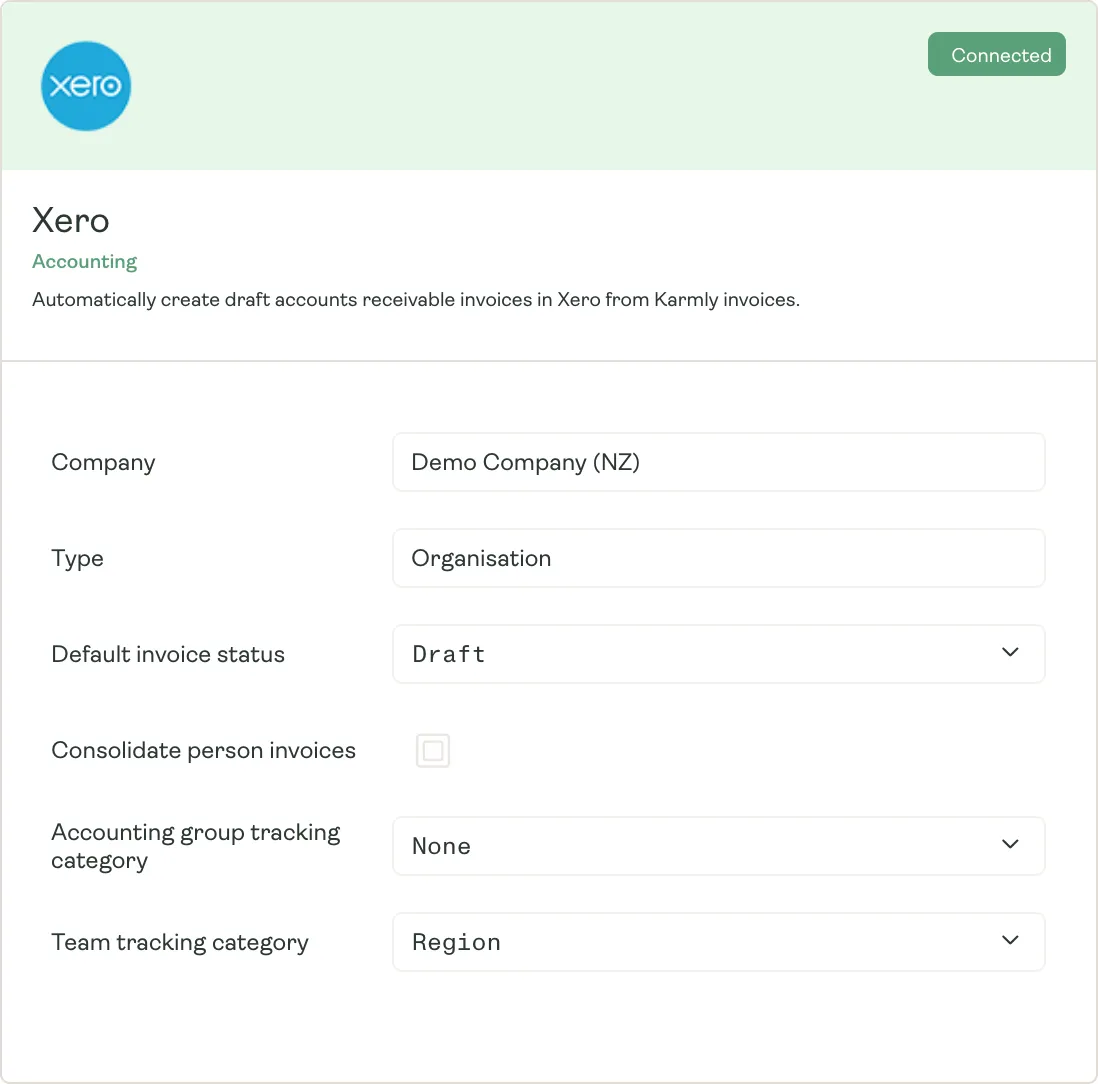
Connect your Xero organisation from Karmly, then choose how things arrive: as drafts to review first, or approved and ready to go. Pick the tracking categories you report on, and Karmly codes everything to match.
- Connect your Xero organisation in a few clicks
- Invoices and pays arrive as drafts, or approved
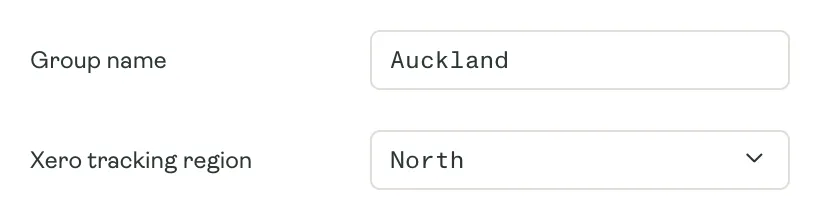
- Tracking categories by group or cost centre
Invoicing
Send an invoice, and it’s in Xero.
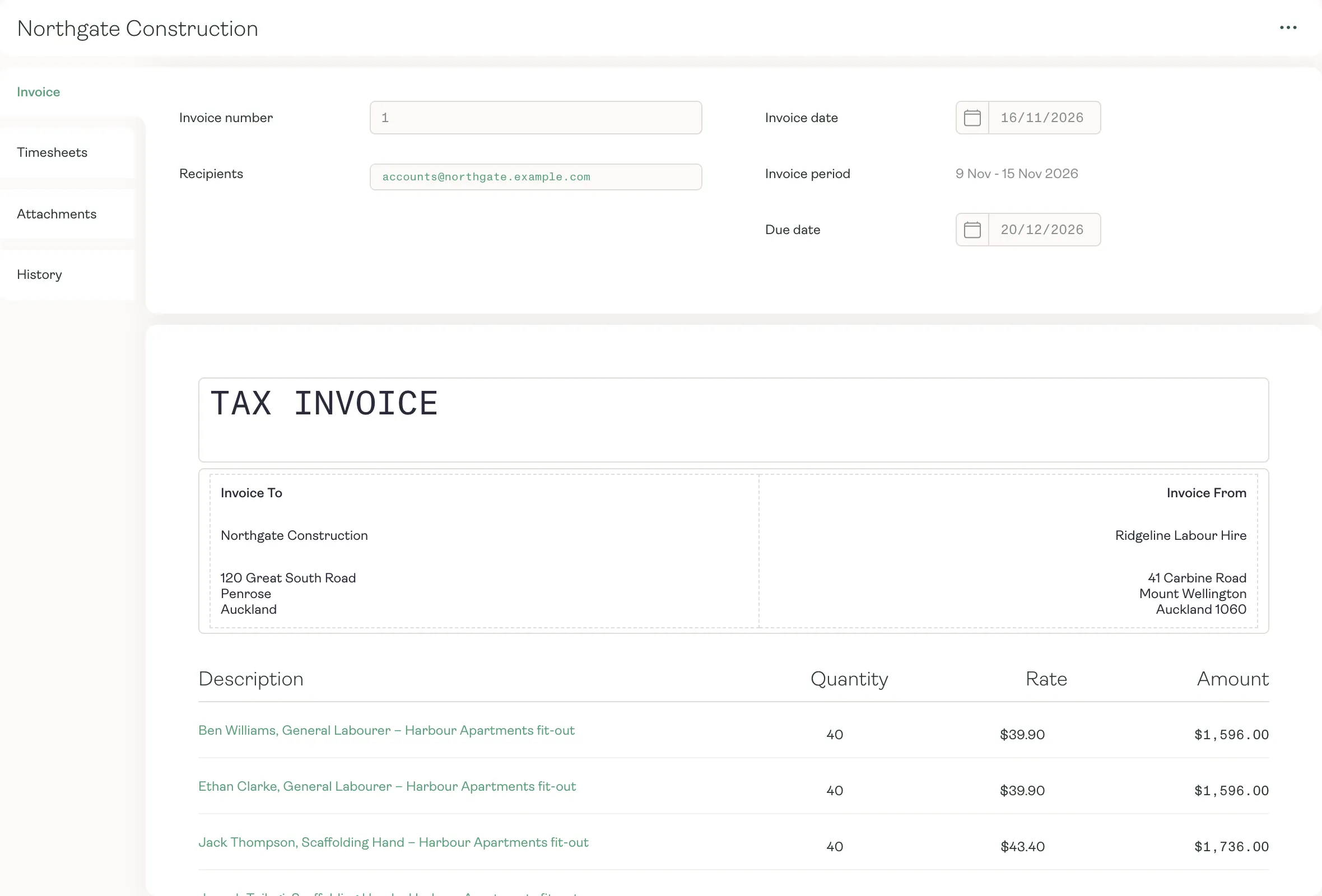
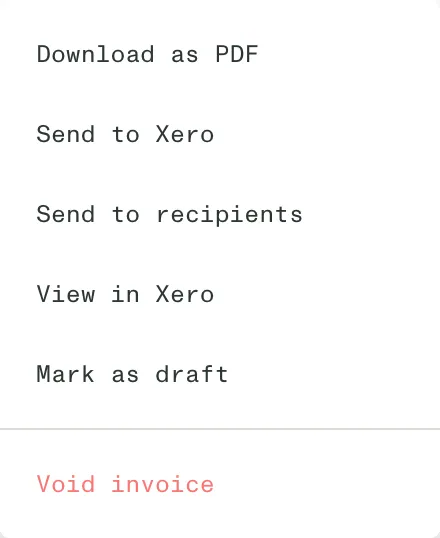
When you send your invoices from Karmly, each one goes to Xero too, with the same number, reference, due date and lines, coded to your sales accounts with GST. Open any of them in Xero straight from Karmly, and void one in Karmly to void it in Xero.
- Same invoice number, reference and due date in both
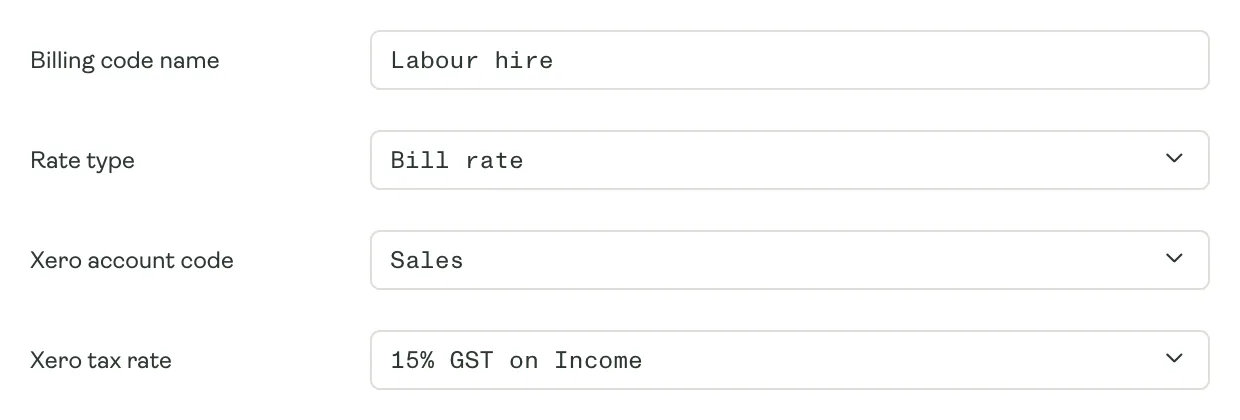
- Every line coded to your sales account, with GST
- Void it in Karmly, and it’s voided in Xero
Payroll
Every pay run, ready to pay in Xero.
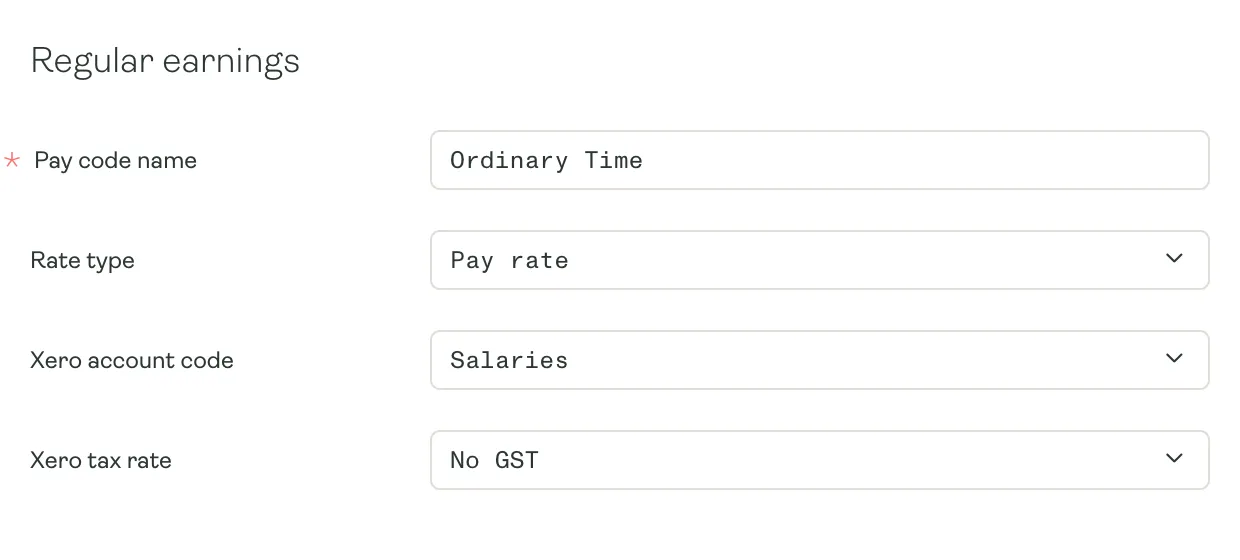
Finalise a pay in Karmly and it lands in Xero as bills: one for each worker, or a single bill for the whole pay. PAYE, KiwiSaver and other deductions go as bills to Inland Revenue and whoever else they’re paid to, and every line is coded to the account set on its pay code.
- Wages coded to your wage accounts, line by line
- PAYE and KiwiSaver as bills to Inland Revenue
- One bill per worker, or one for the whole pay
Your accounts
Your Xero accounts, right inside Karmly.
Karmly reads your chart of accounts, GST rates and tracking categories from Xero, so you pick them from a list on each line code and group. Set them up once, and everything after is coded the way your accountant expects.
- Xero’s accounts and GST rates on every line code
- Groups and cost centres matched to Xero tracking
- Set up once, coded the same way every time
Why it matters
Keyed once, right everywhere.
- 01
No double entry
Invoices and pays are entered once, in Karmly. Xero gets them as they happen, with nothing to retype.
- 02
Nothing goes missing
If Xero can’t take an invoice or a pay, Karmly tells you why, so you can fix it and send it again.
- 03
Your accountant stays in Xero
Your accountant works in Xero as usual, with every invoice and wage cost already there and coded.
- 04
Sign in with Xero
Your team can sign in to Karmly with their Xero login, with one less password to remember.
Pay, bill and balance the books.
See how Karmly and Xero work together for labour hire.