Billing & accounting
Every client invoiced in one go.
Karmly turns the week’s approved hours into an invoice for every client, at the rates agreed for each job. Check what’s ready, send them all at once, and every invoice lands in your accounts.

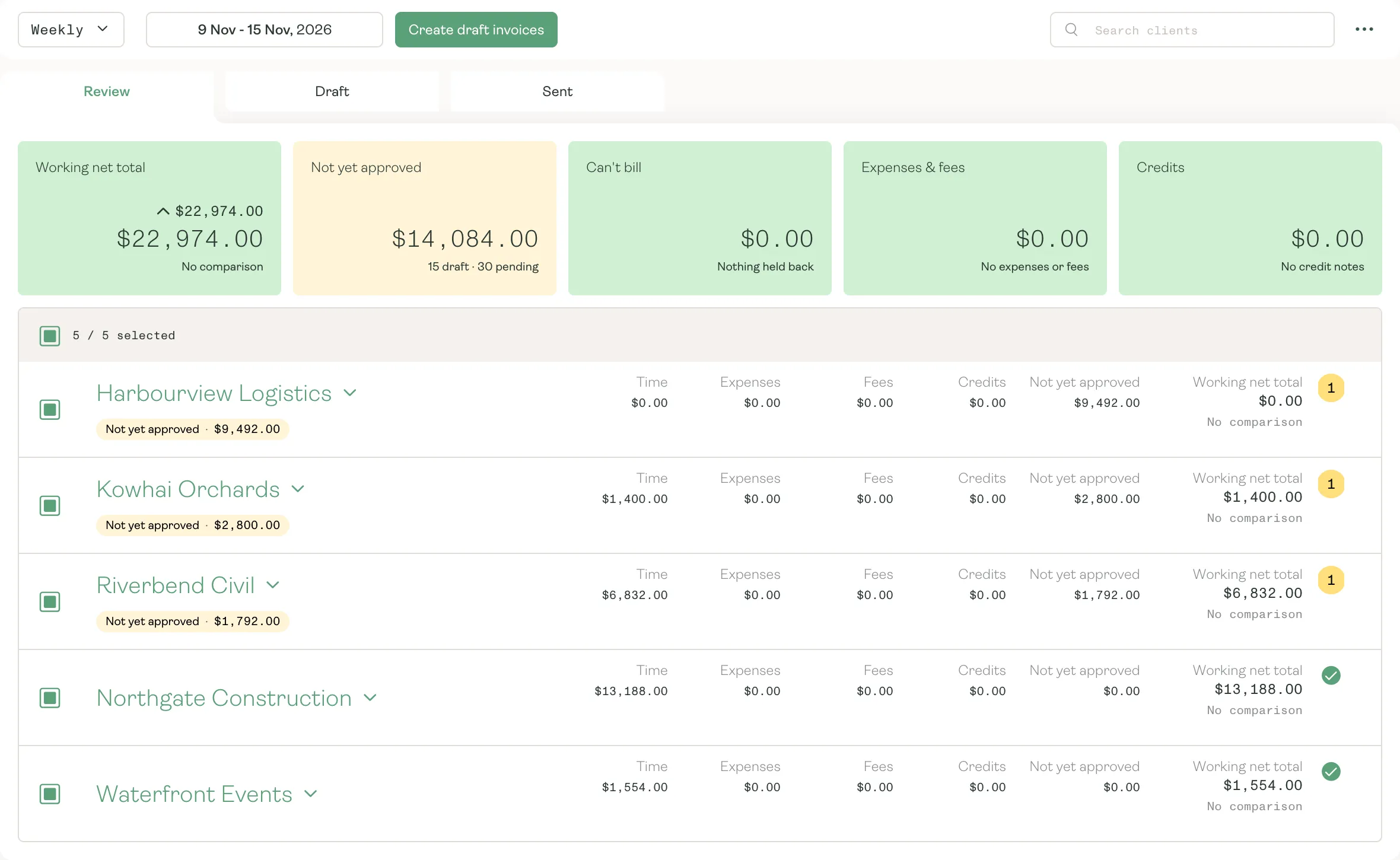
Billing review
Know what you’ll bill before you bill it.
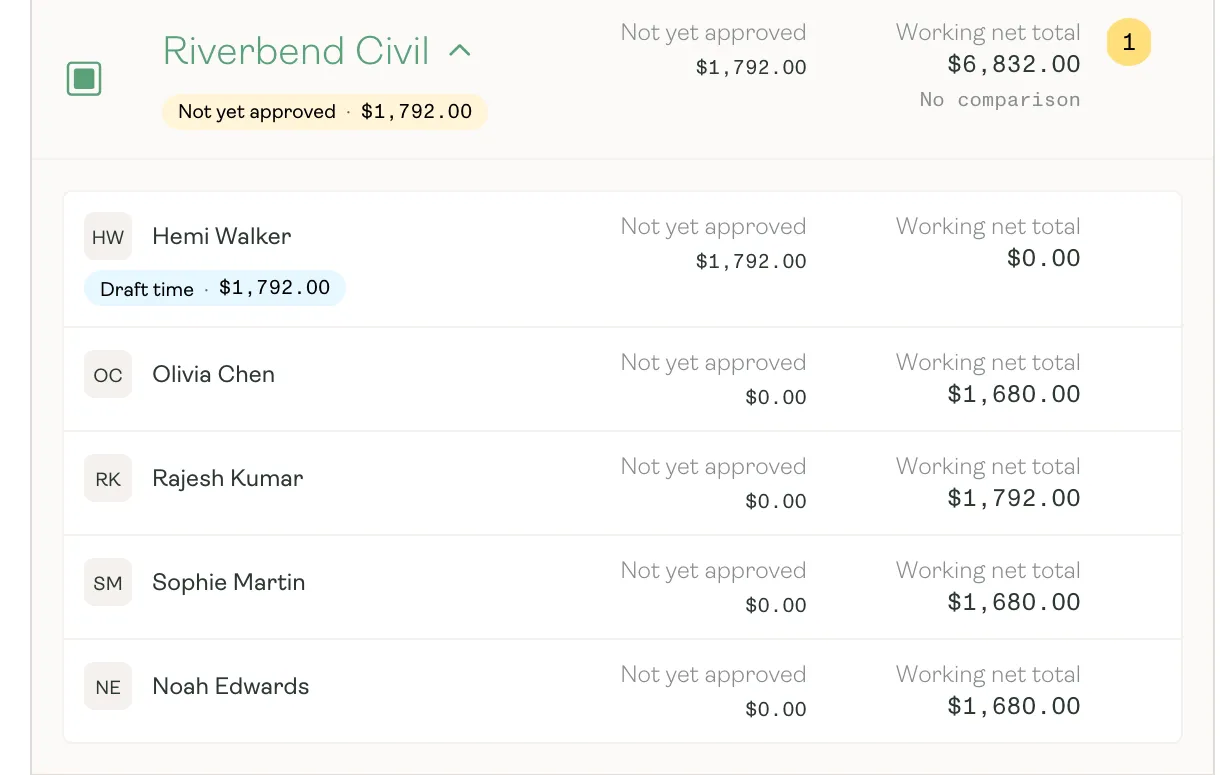
Billing Review shows every client’s working total for the cycle, with time, expenses, fees and credits side by side. Anything not yet approved is held back and flagged, so you know who to chase before the invoices go.
- A working total for every client in the billing cycle
- Unapproved and draft time held back, and shown person by person
- Anything that can’t be billed called out before you invoice
Invoice day
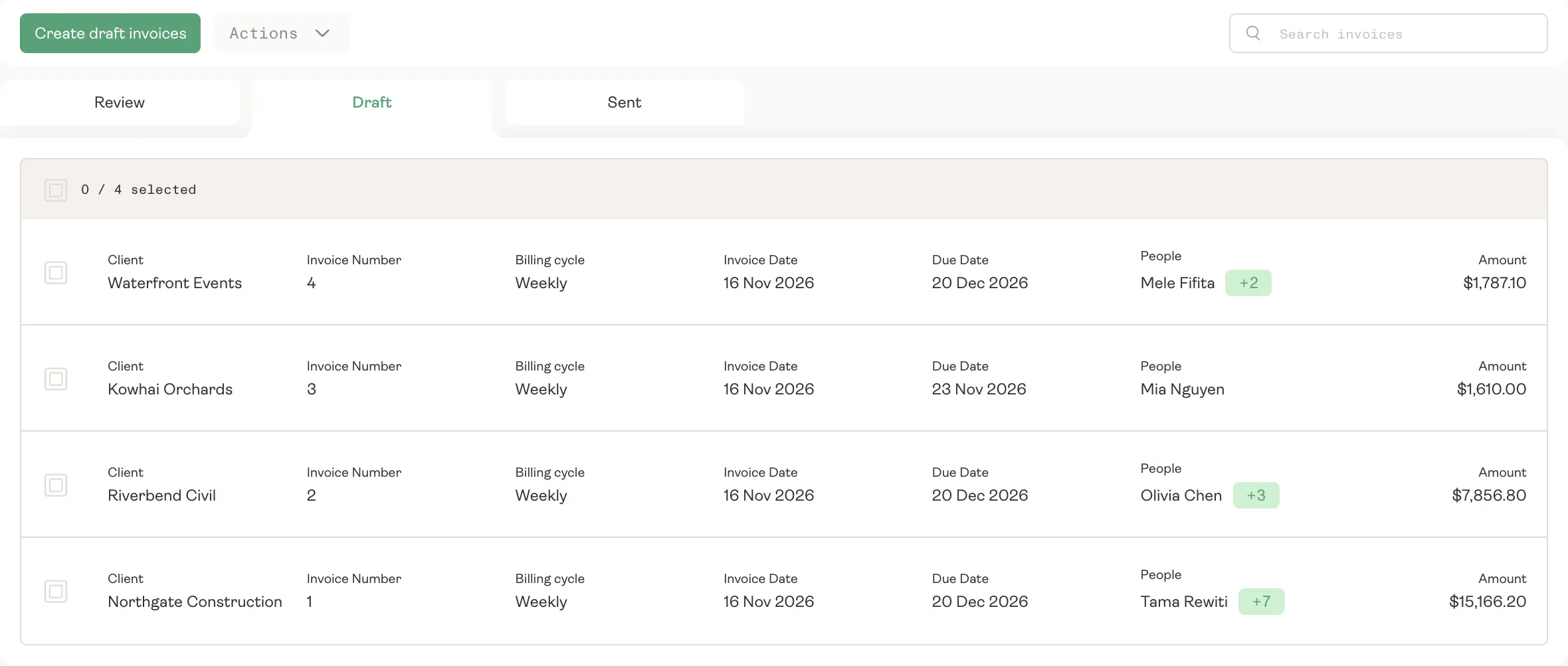
From approved hours to sent invoices.
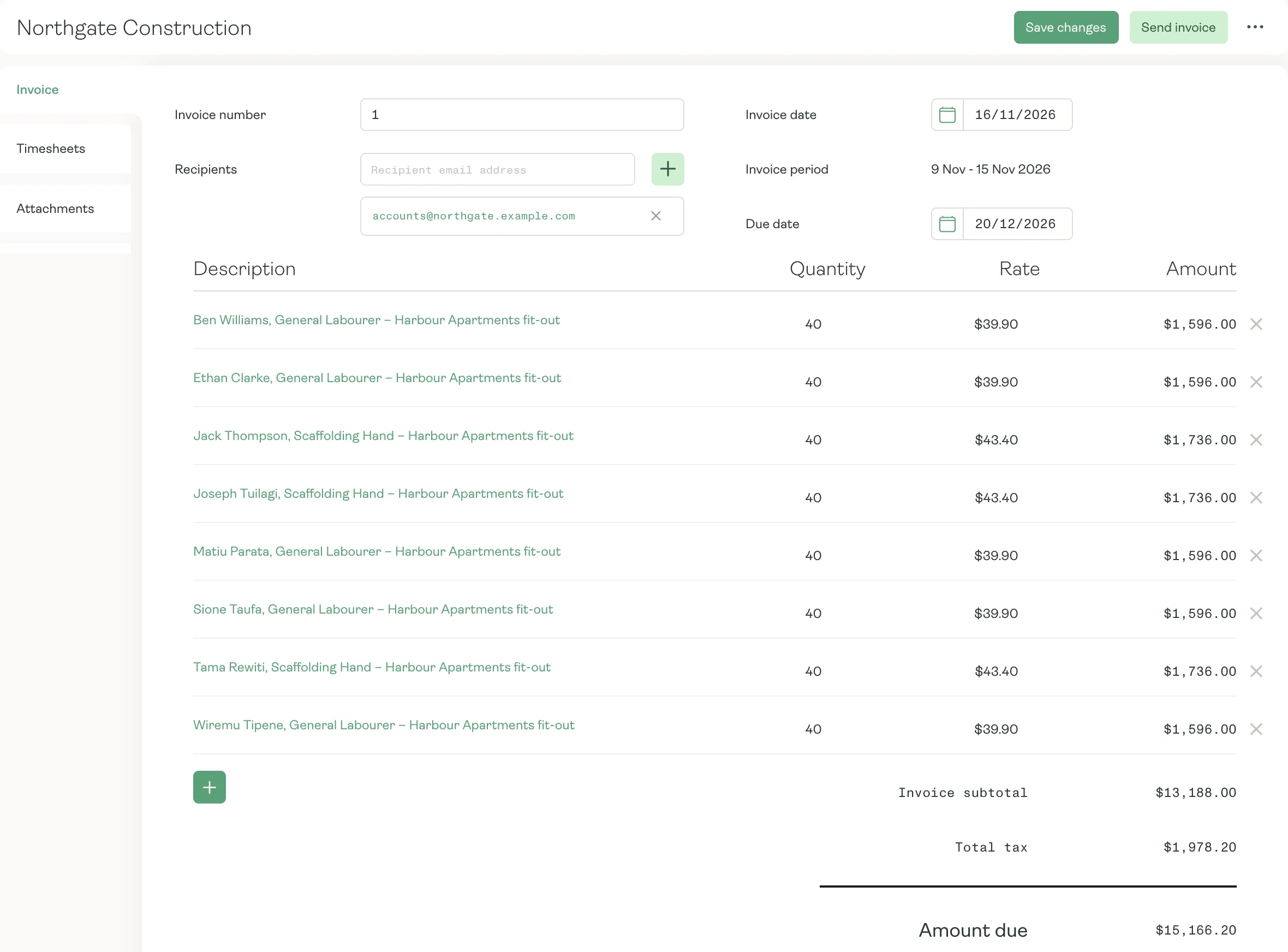
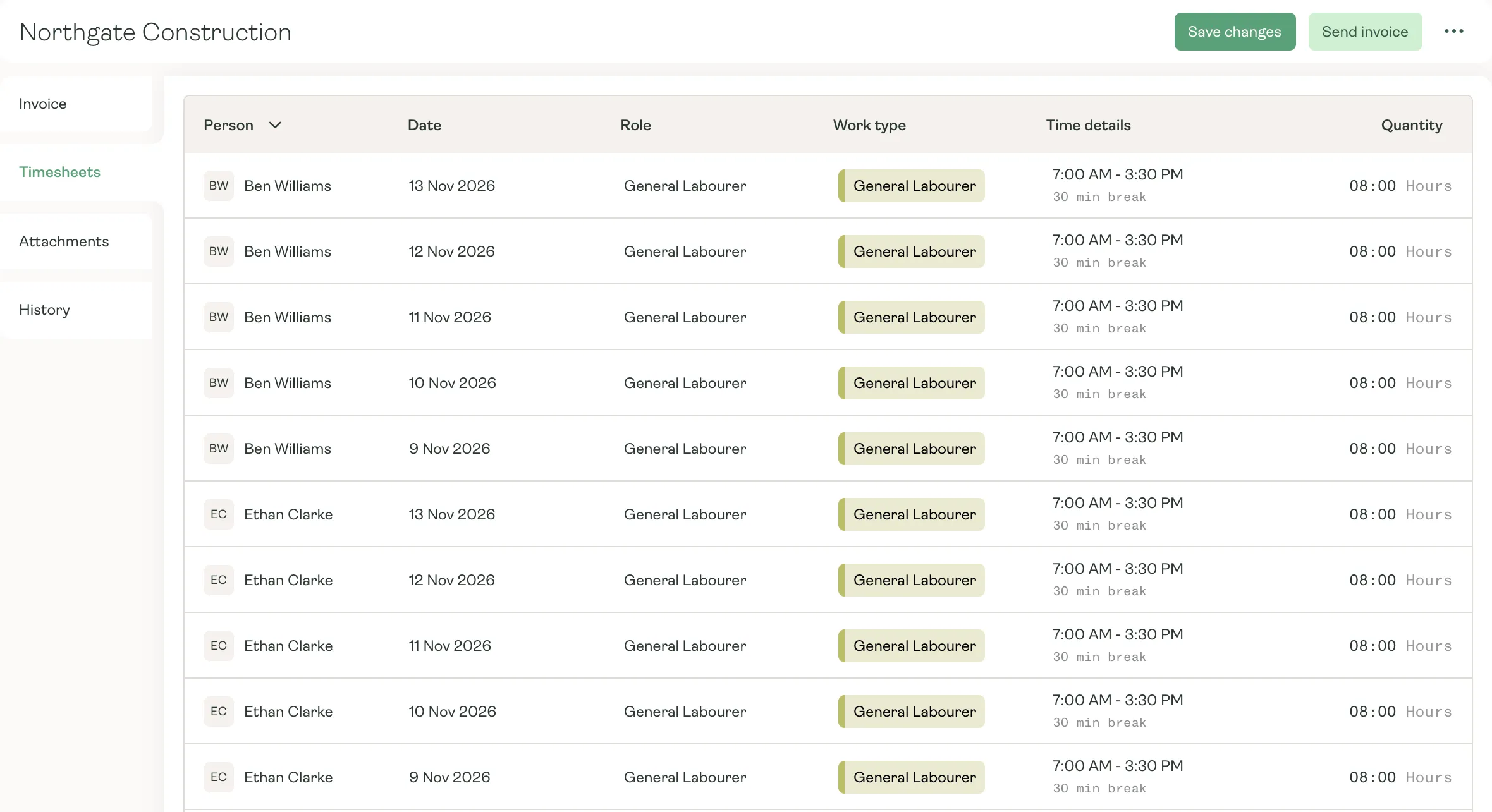
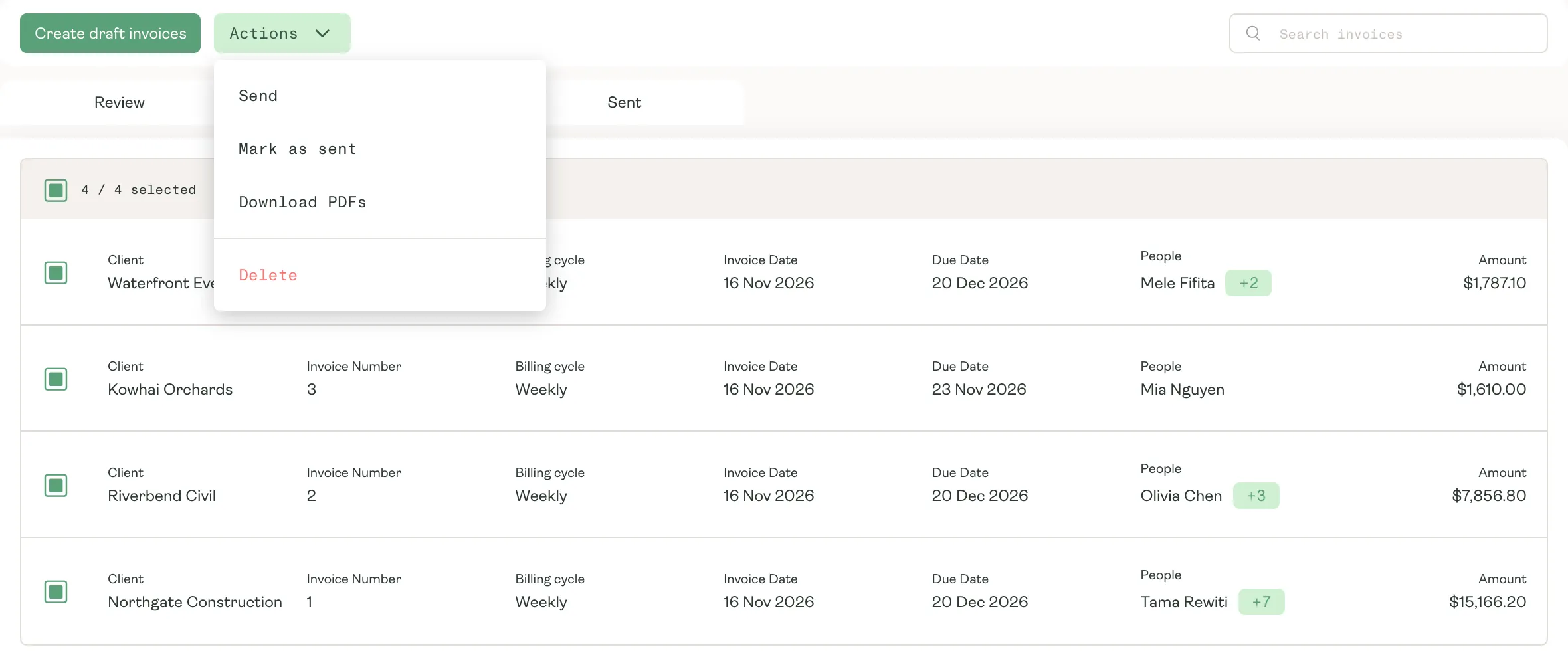
Create the week’s invoices in one run, check any of them, and send them all. Each one comes from the same record as the schedule and the pay.
What your clients see
Invoices with the proof attached.
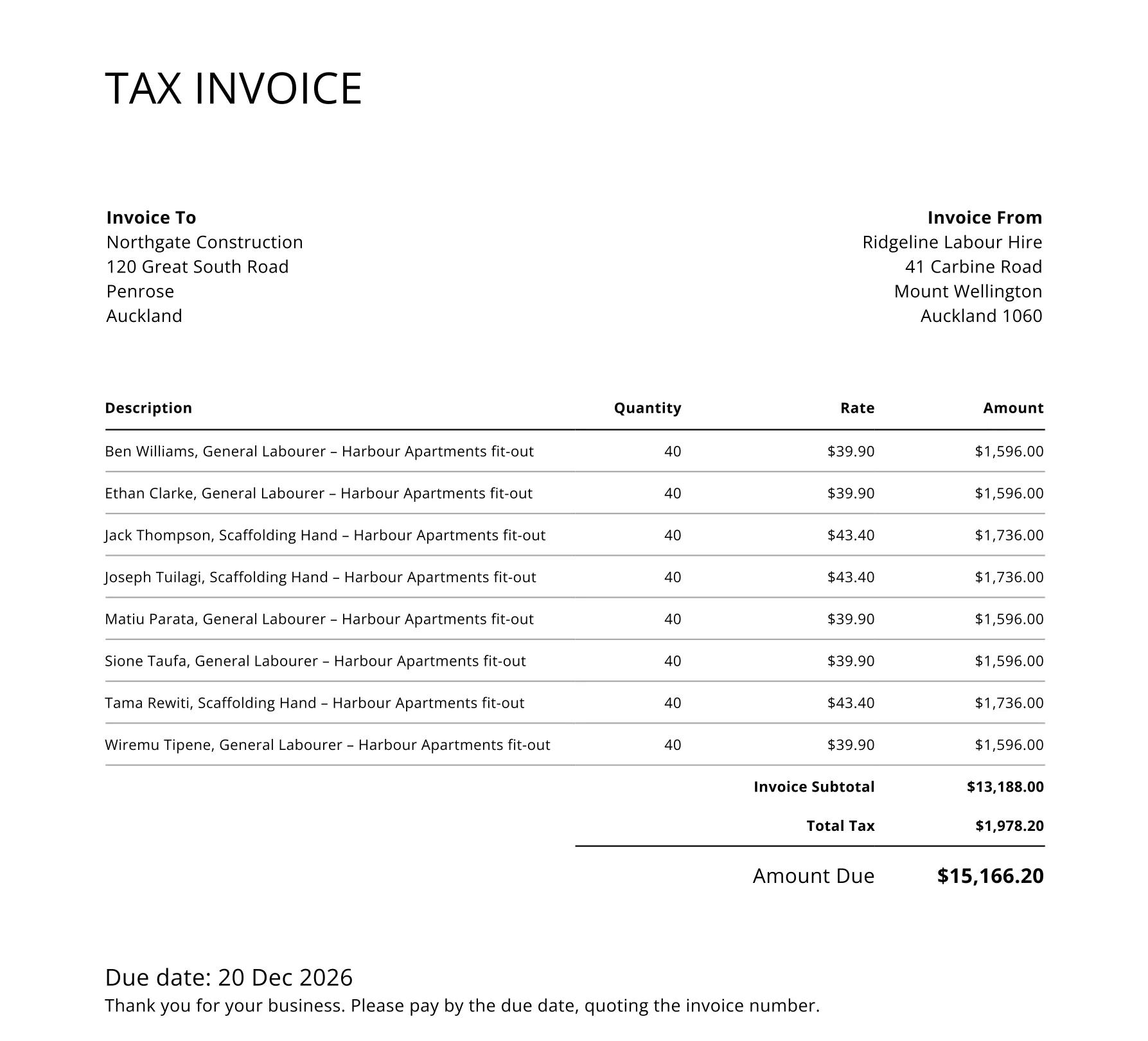
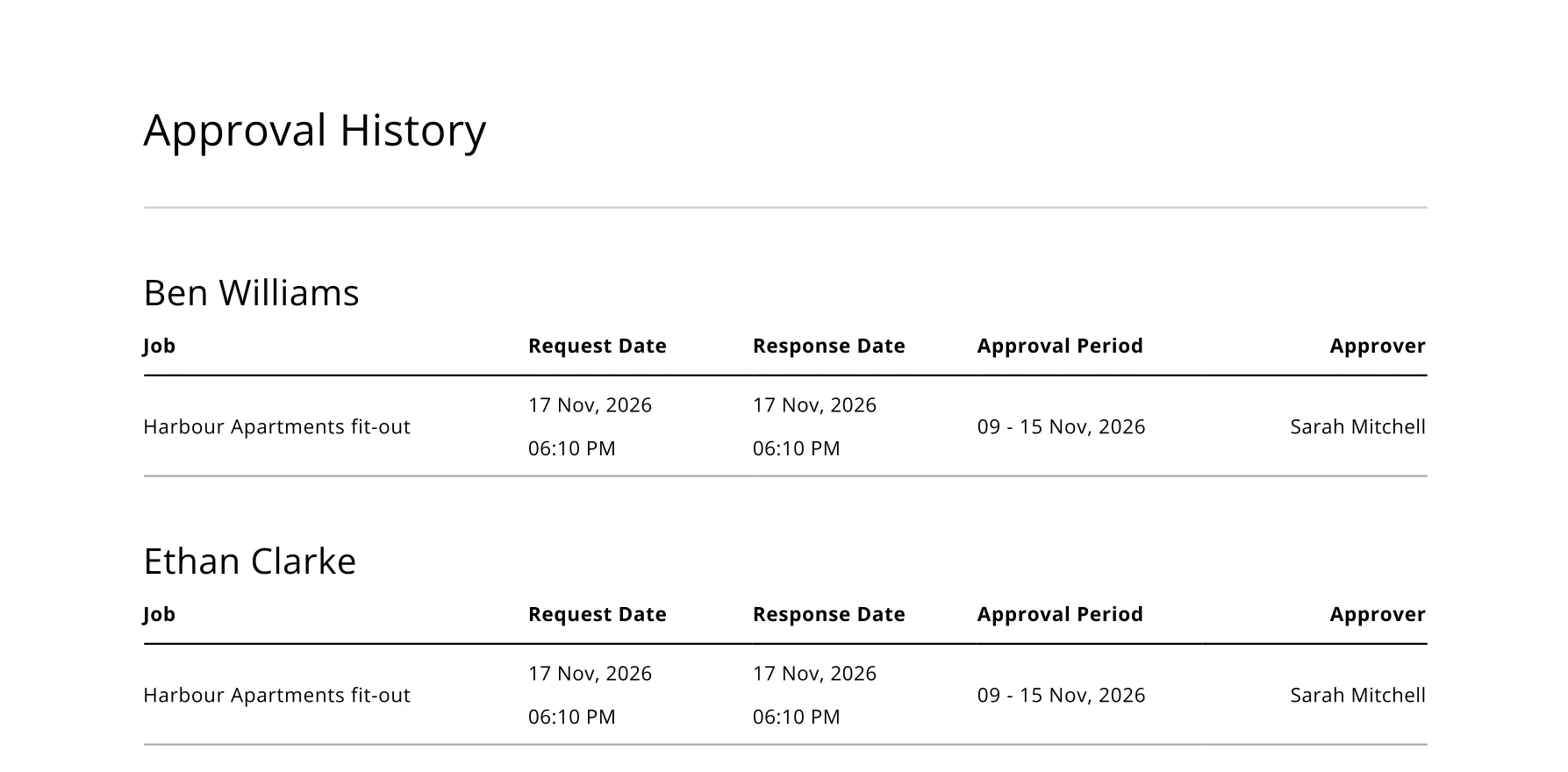
Turn on timesheets and approvals in an invoice template, and every client gets the hours behind the bill: who worked, when, and who approved it. Your invoice arrives with nothing left to query.
- Templates with your own header, footer and line wording
- Timesheets and approval history attached to the PDF
- A template for each client, or one for the whole run
Accounting
Billing that lands in your books.
- 01
Posted as you send
Every sent invoice posts its revenue, GST and what the client owes to Karmly’s built-in accounts.
- 02
Xero in one click
Connect Xero to send invoices across, then open any of them in Xero straight from Karmly.
- 03
Expenses, fees and credits
Approved expenses, service fees, placement fees and credit notes go on the same invoice as the hours.
- 04
Payment terms built in
Set each client’s terms once, so many days after the invoice or a day of the month, and every due date follows.
Bill every hour your people work.
See how Karmly invoices your clients straight from approved time.