Time and approvals
Hours approved before payday.
Timesheets come straight from the schedule, overtime and penalty rates are worked out as the time goes in, and clients approve from an email. By payday, every hour is checked and costed.

Costed as it’s recorded
Every hour, priced the moment it’s in.
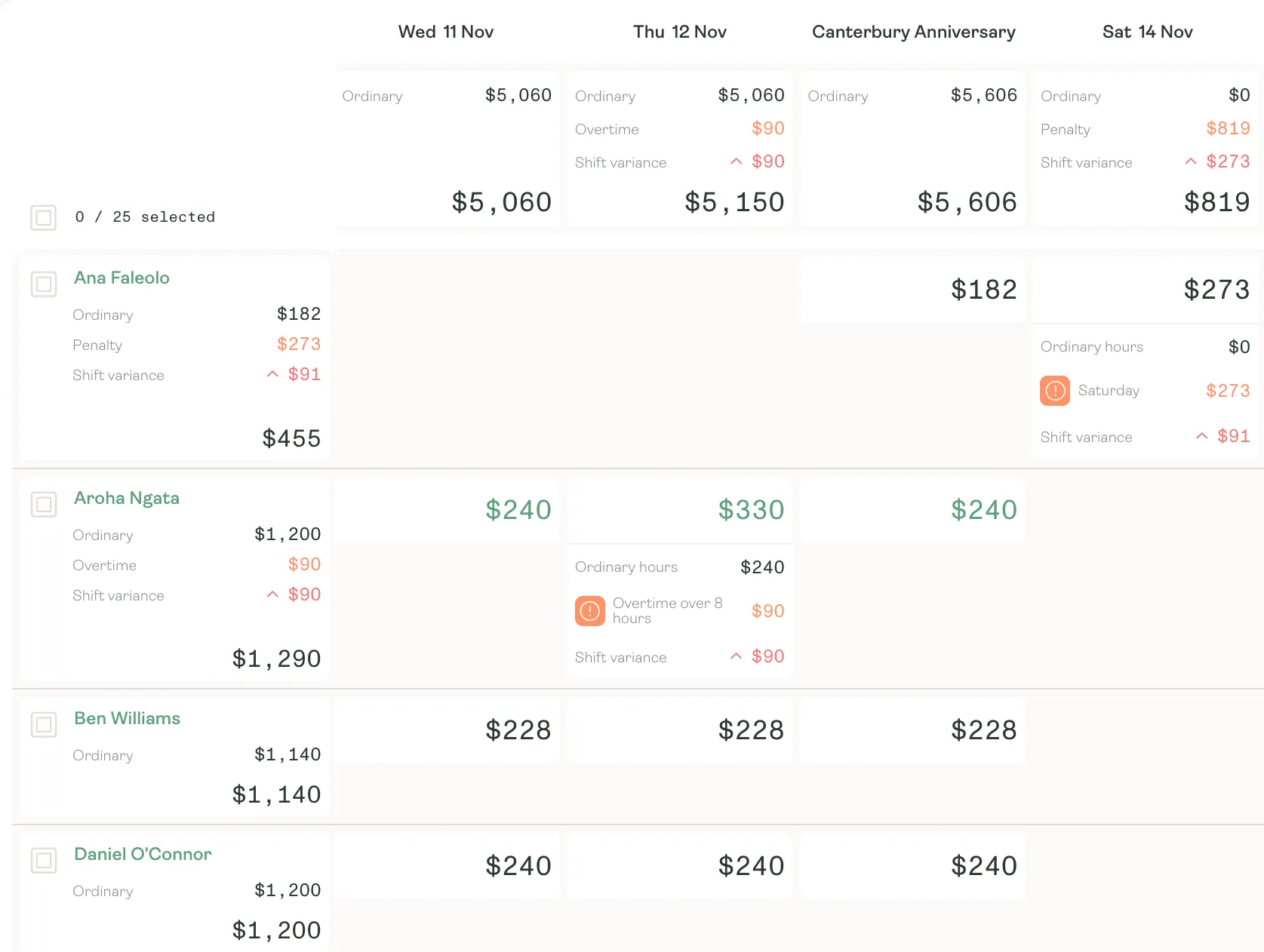
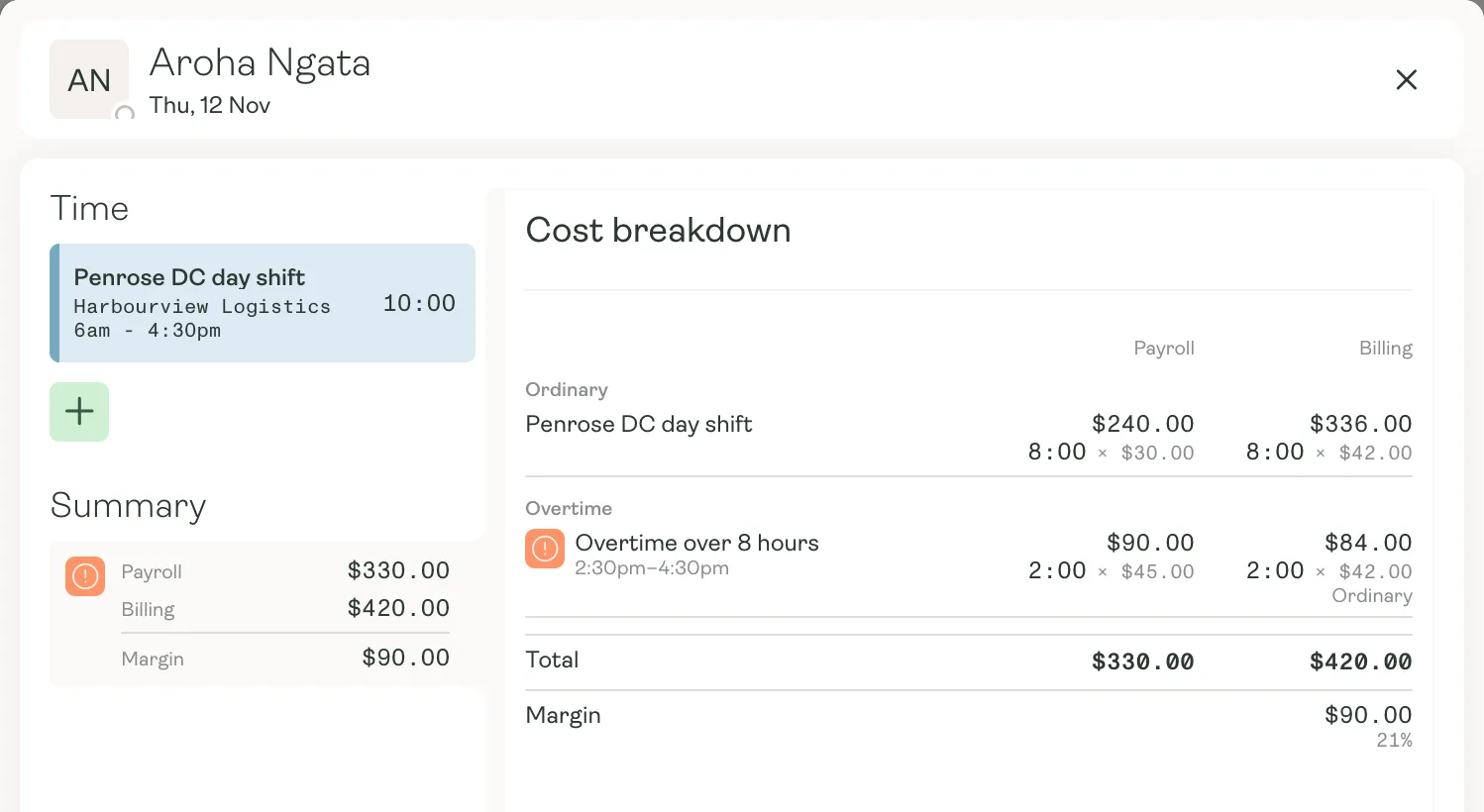
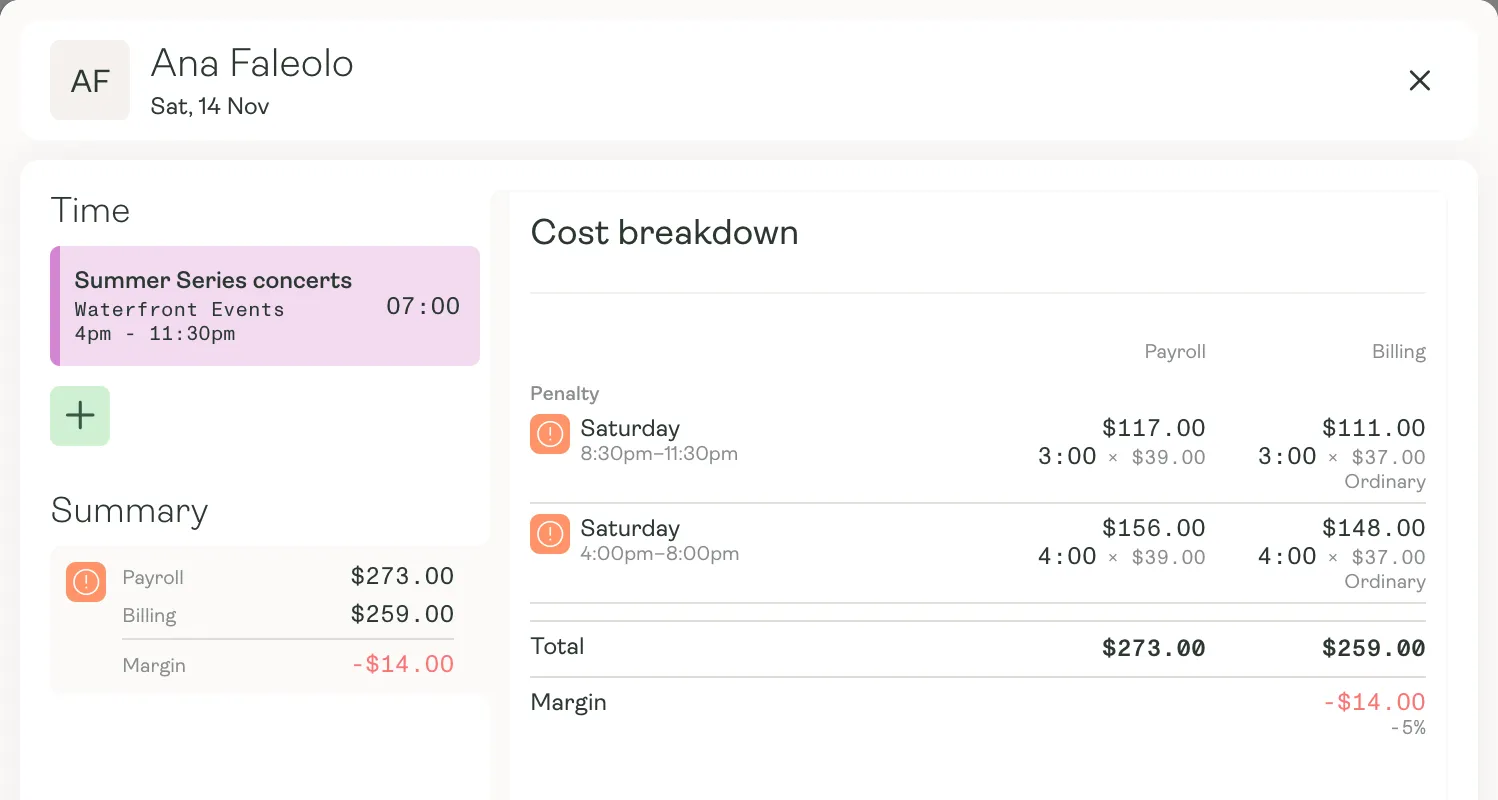
Karmly applies your pay rules as time is recorded: overtime, Saturday rates and the rest. Open any day to see pay against charge, line by line, with the margin underneath.
- Overtime and penalty rates applied by your pay rules
- Pay, charge and margin on every day
- Rostered against worked, so variances stand out
From timesheet to approved
Checked by the client, not chased by you.
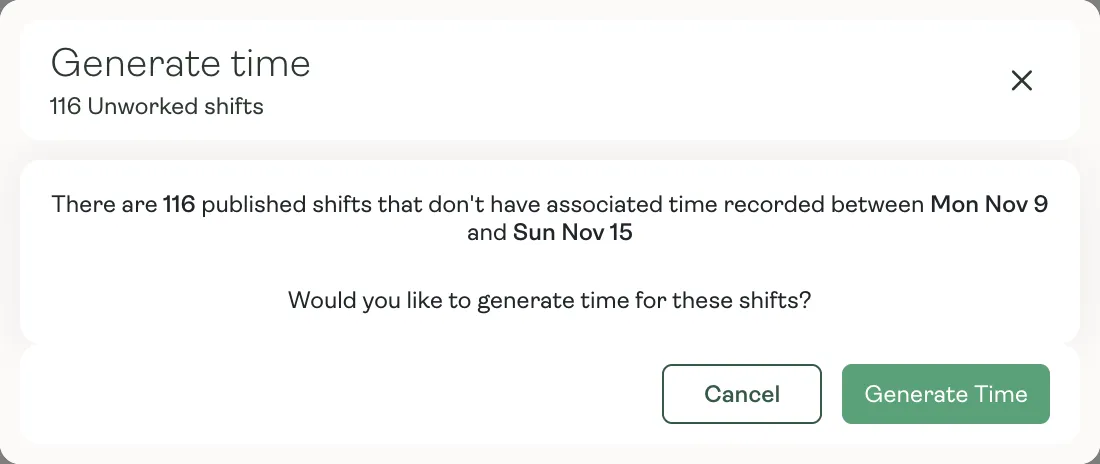
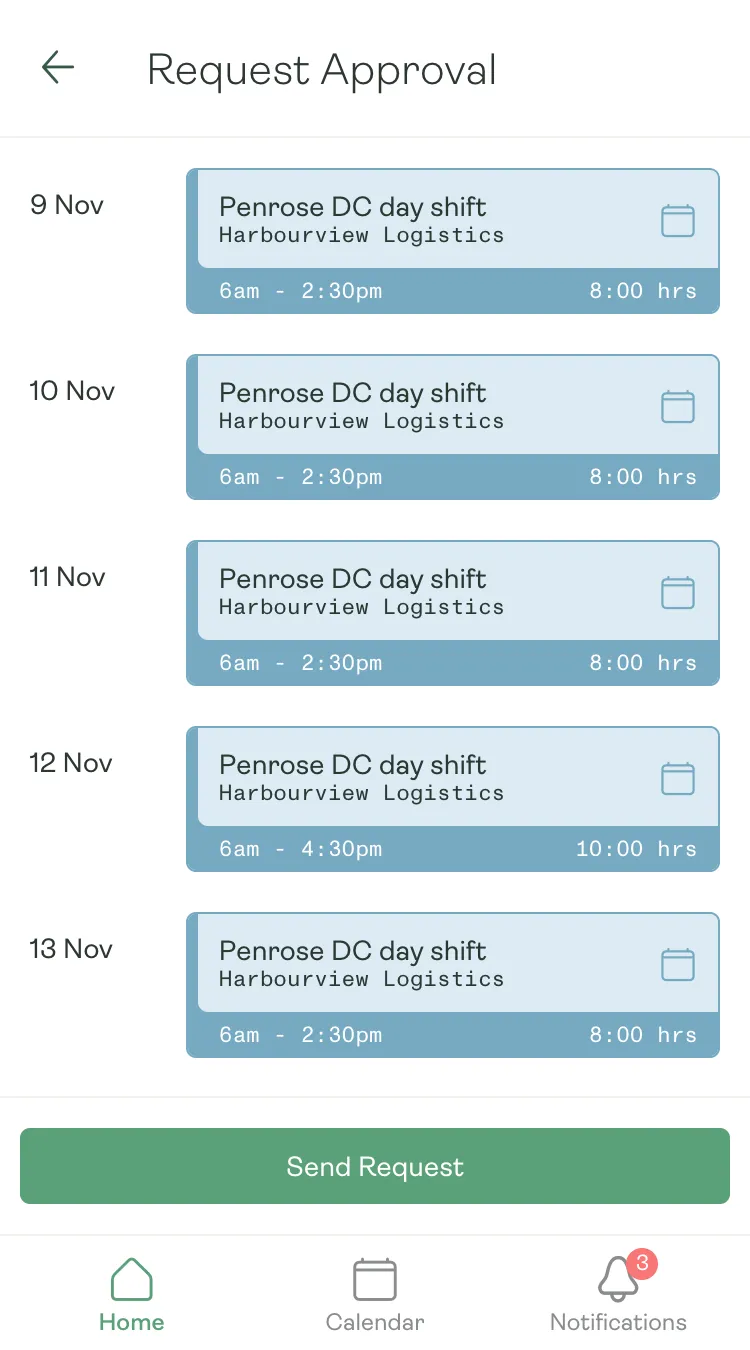
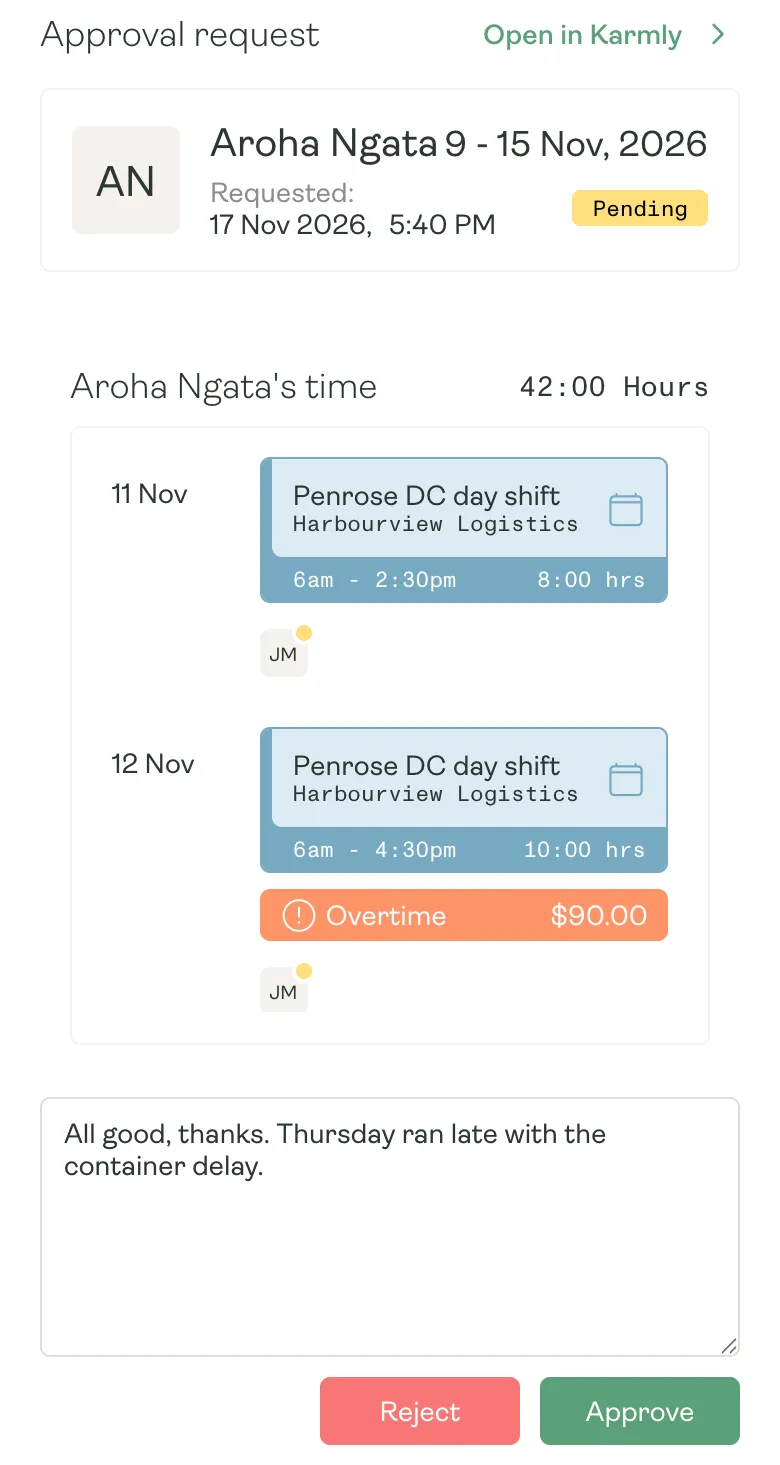
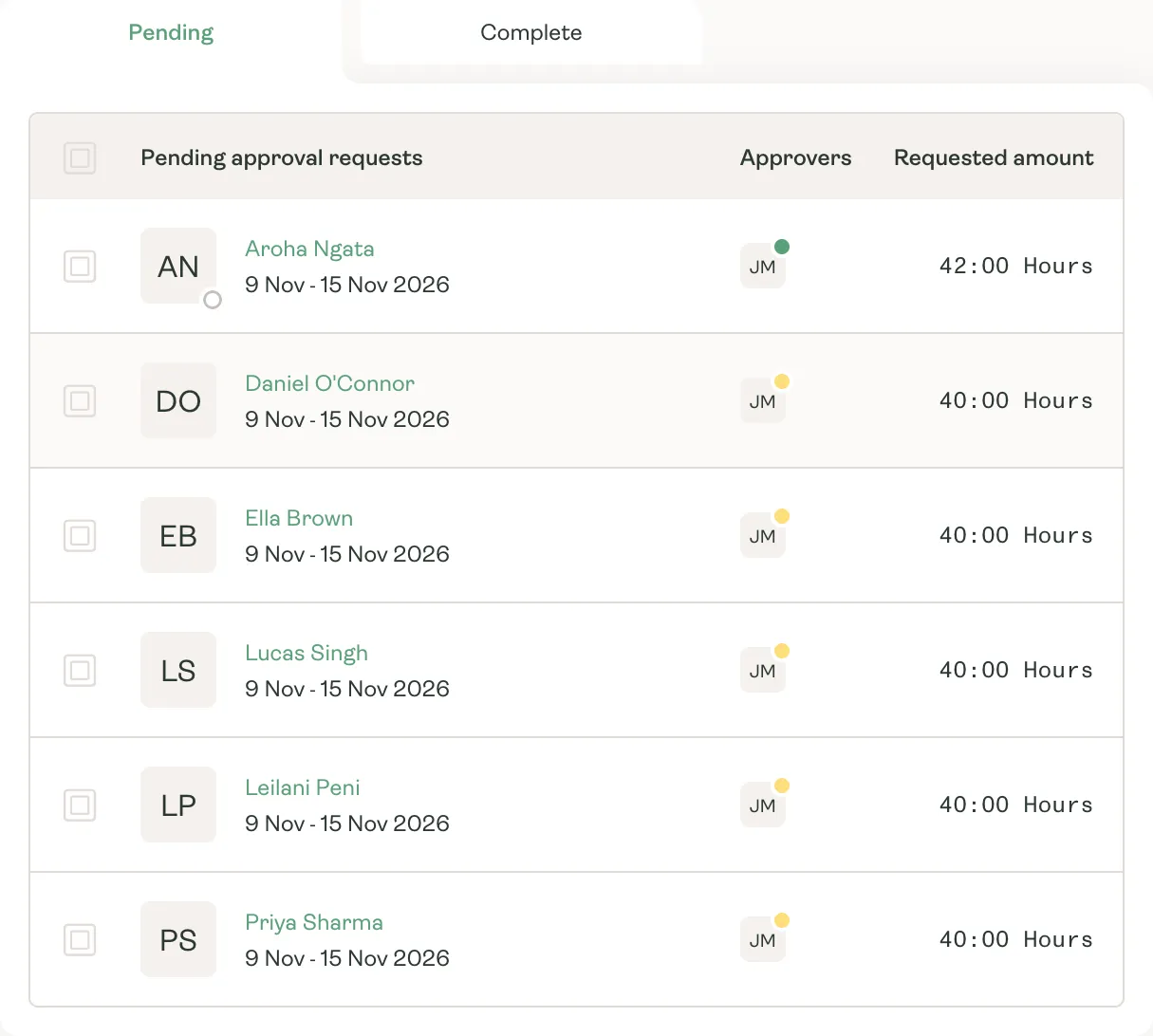
Turn the week’s shifts into timesheets, let workers send them off, and have the client approve straight from their inbox.
Penalty rates
See what a Saturday really costs.
Weekend, public holiday and overtime rates show against what the client is charged, so a thin or negative margin is plain to see before it’s paid or invoiced.
- Daily and weekly overtime
- Saturday, Sunday and public holiday rates
- Allowances and minimum shift lengths
Why it matters
Fewer surprises on payday.
- 01
Clock in on site
A shared tablet on site lets workers clock in and out with a photo.
- 02
Reminders that chase for you
Scheduled reminders for missing timesheets and approvals still waiting.
- 03
Dockets travel with the hours
Attach dockets and photos to a timesheet and they go with the approval.
- 04
A full audit trail
Every change to time, and every approval, is recorded.
Approved hours, every payday.
See how Karmly turns shifts into checked, costed time.